Deposit guide

How to make a deposit

A four-step walkthrough for funding your BTCflash balance with Bitcoin.

1

Open Deposit

Sign in to your BTCflash account and open the Deposit page from the dashboard menu.

Deposit guide step 1: Open Deposit
2

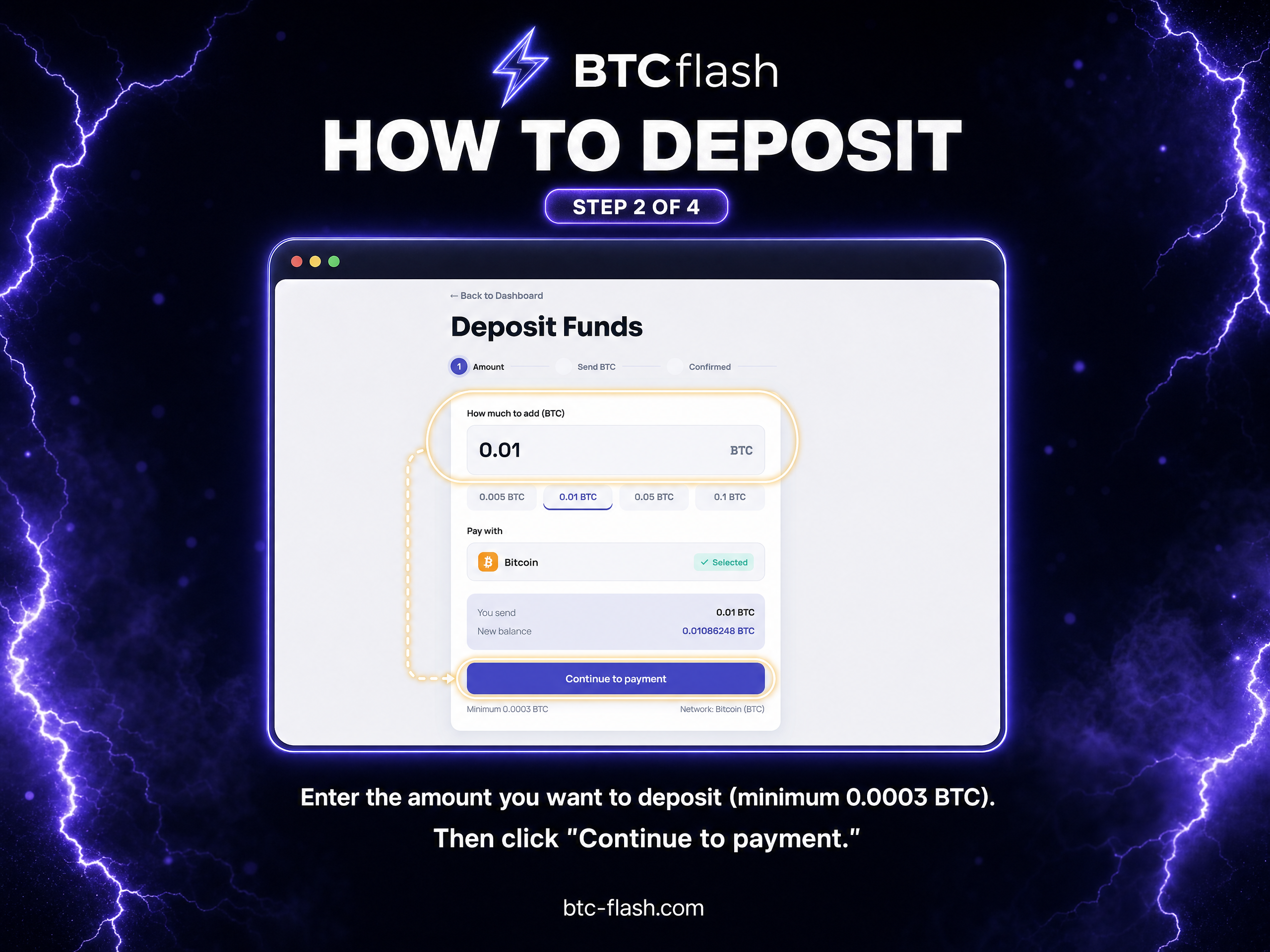
Enter the amount

Enter the BTC amount you want to fund. Review the amount before continuing.

Deposit guide step 2: Enter the amount
3

Send BTC to your address

Copy the unique BTC address shown on the page or scan the QR code from your wallet.

Deposit guide step 3: Send BTC to your address
4

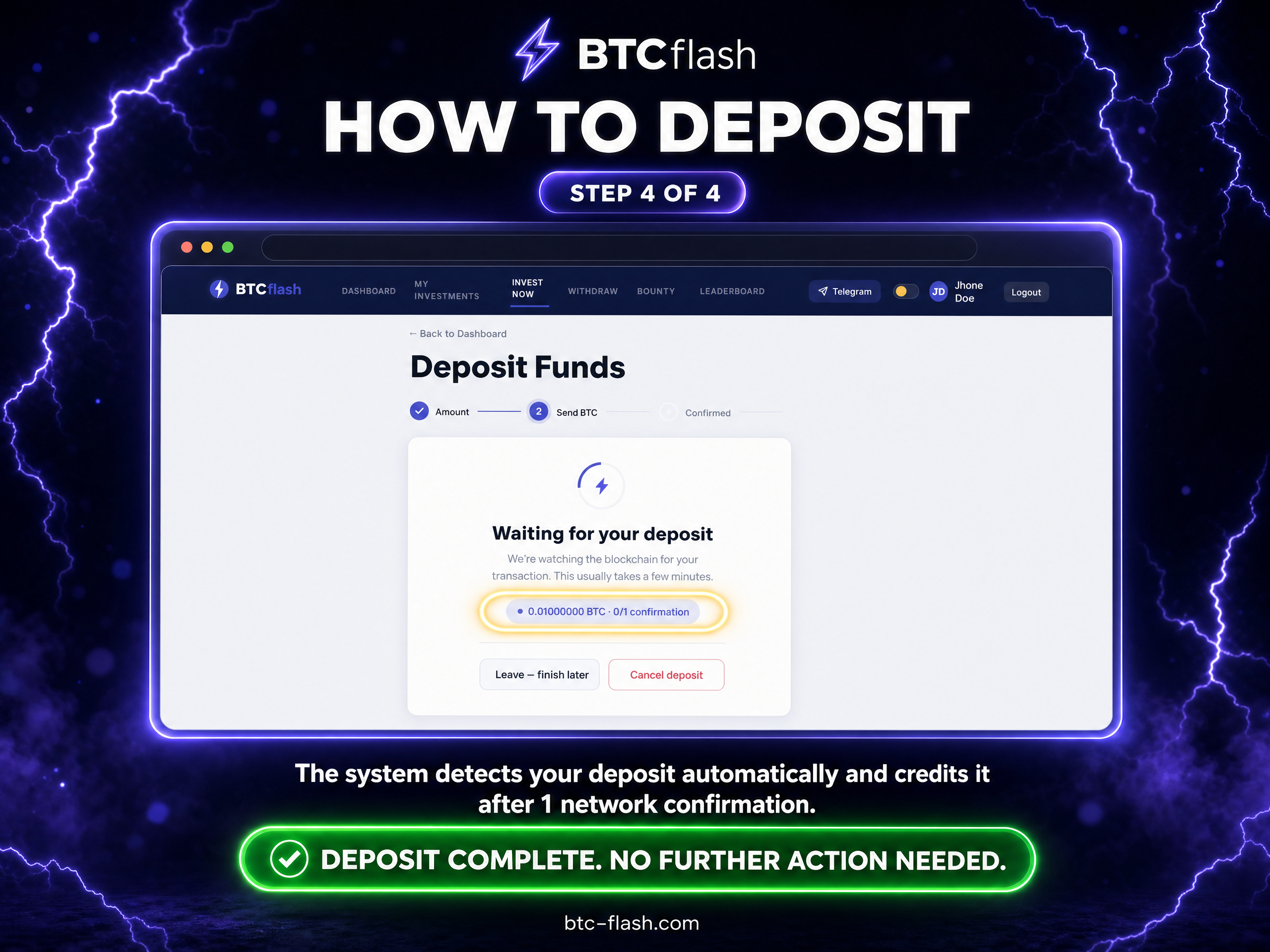
Wait for confirmation

Your deposit is detected automatically. The balance is credited after the required network confirmation.

Deposit guide step 4: Wait for confirmation