Plan activation guide

How to activate a plan

A visual walkthrough for activating a plan using the BTC available in your account.

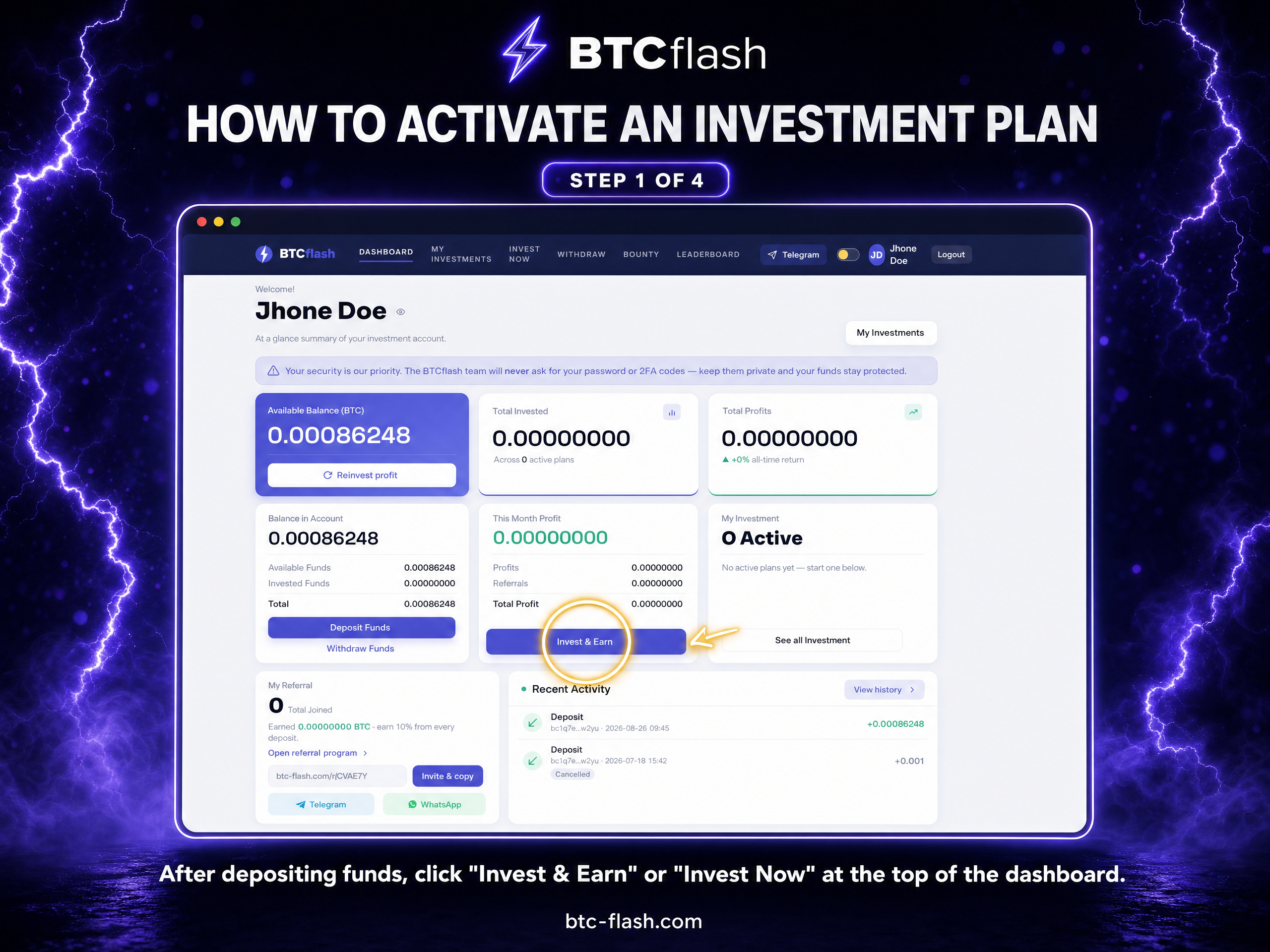
1

Open the investment section

From your dashboard, open the page where BTCflash investment plans are available.

Plan activation guide step 1: Open the investment section
2

Choose your amount

Enter the BTC amount you want to allocate from your available account balance.

Plan activation guide step 2: Choose your amount
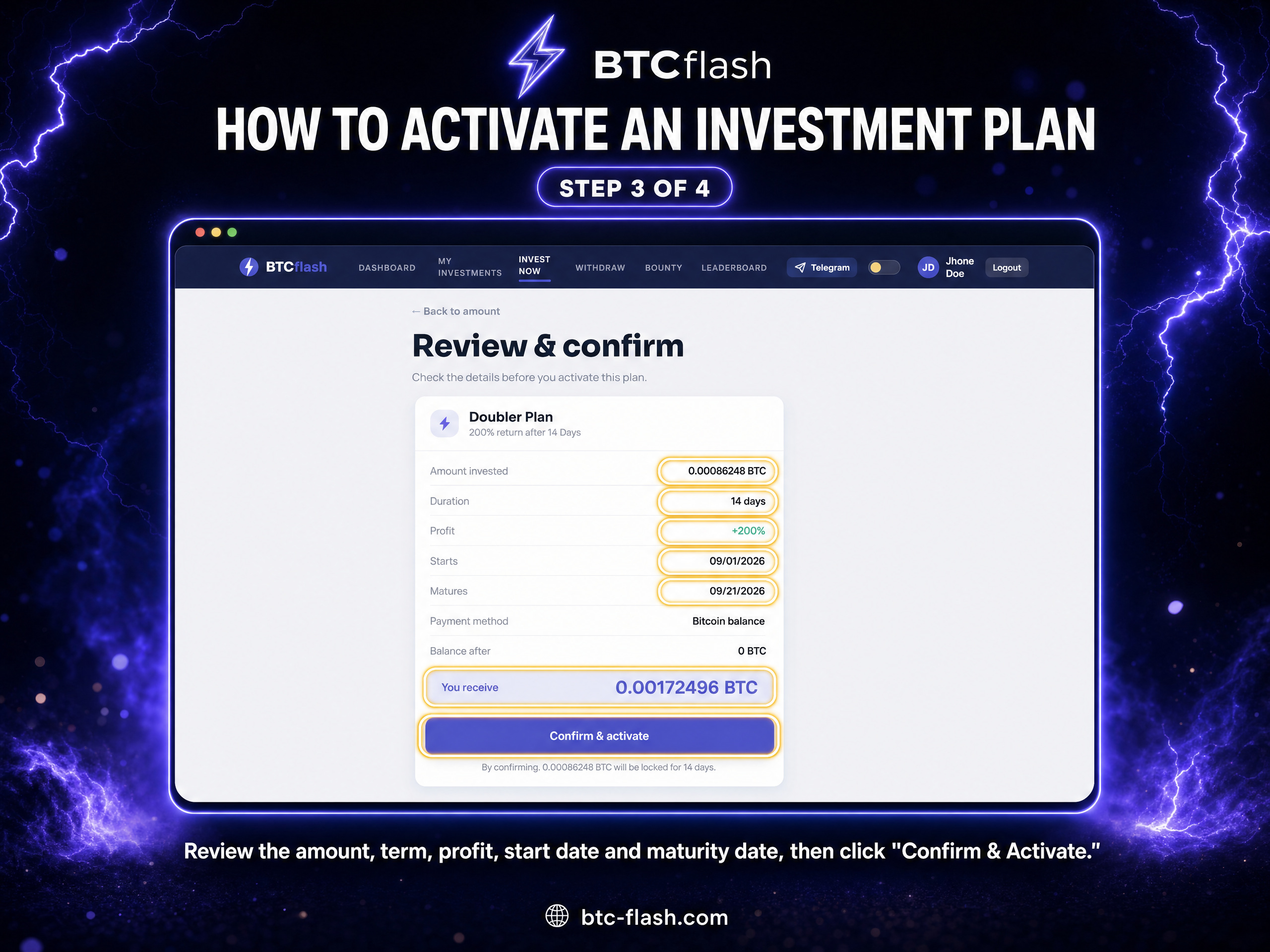
3

Review plan details

Check the amount and plan information shown before you confirm your selection.

Plan activation guide step 3: Review plan details
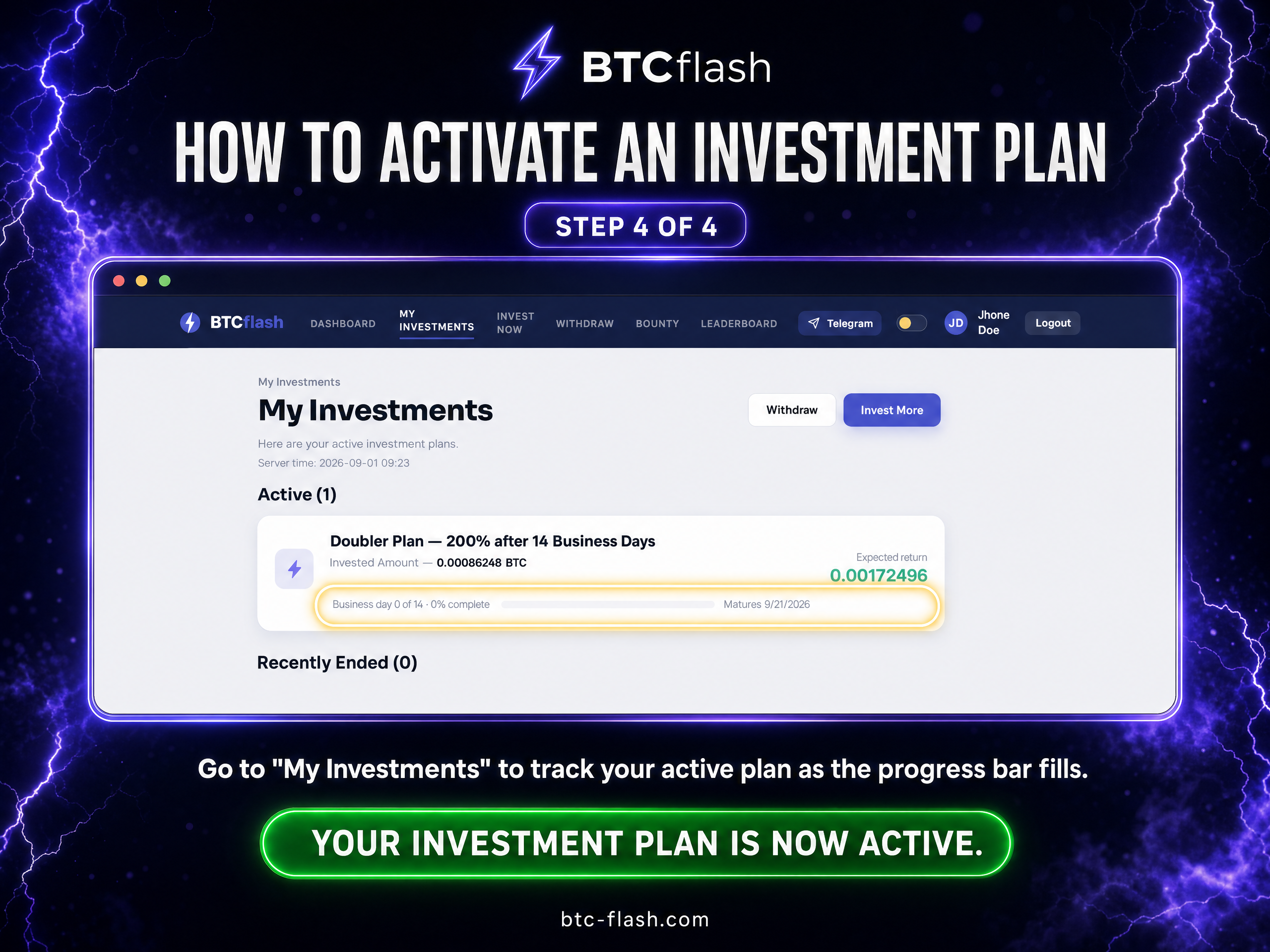
4

Activate the plan

Confirm the activation. Your plan will appear in the dashboard with its current status and maturity information.

Plan activation guide step 4: Activate the plan